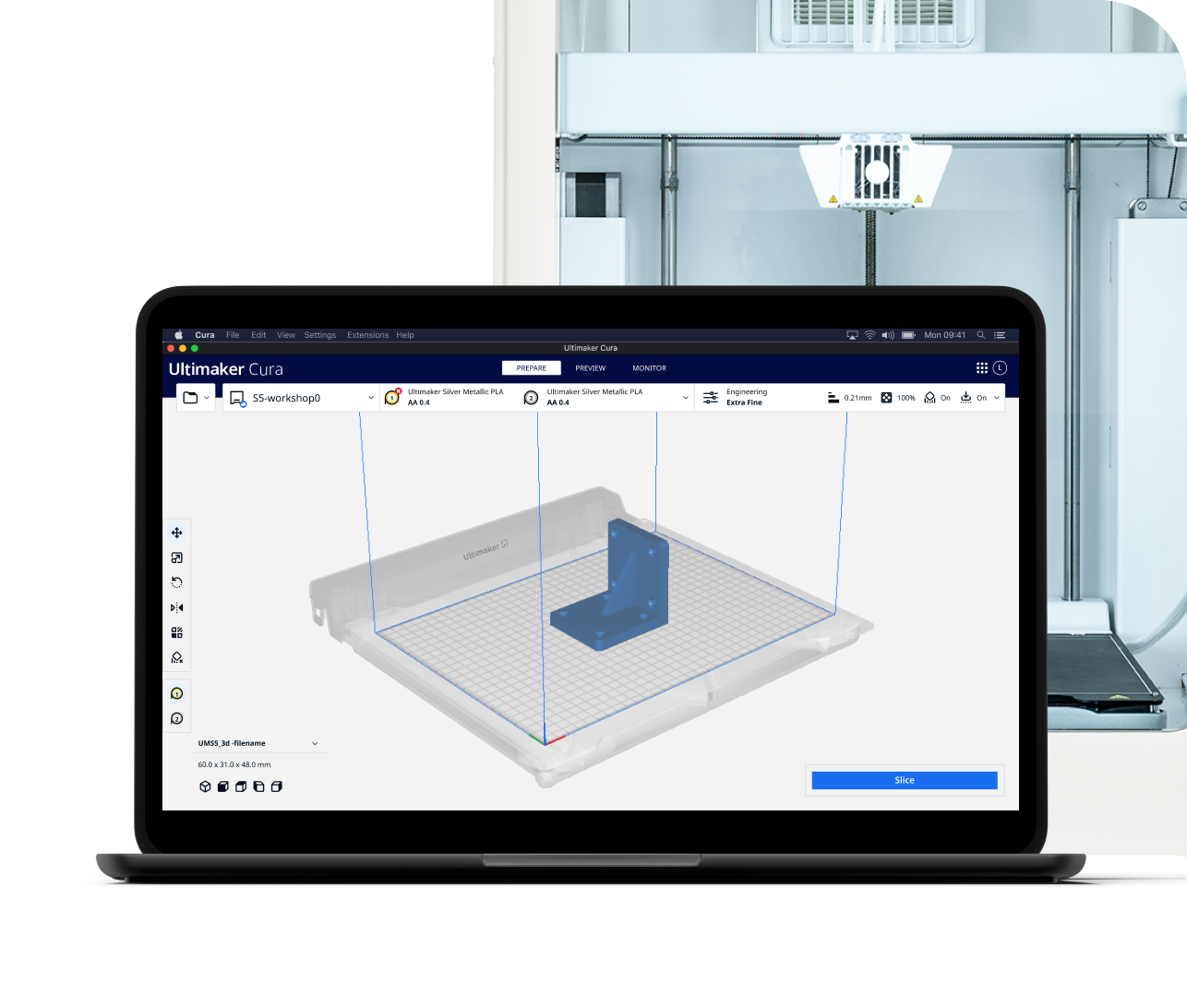
In the vibrant and ever-evolving world of additive manufacturing, choosing the right software can make all the difference between a frustrating failure and a perfect print. For countless enthusiasts, educators, and professionals, Cura Slicer has emerged as the undisputed champion. Developed by the pioneering 3D printing company UltiMaker, this open-source software is far more than just a tool; it's a gateway to bringing your digital designs to life with precision and ease. It acts as the crucial intermediary, translating complex 3D models into a language your printer can understand, making it an essential component of any successful 3D printing workflow.
Whether you're taking your first steps into 3D printing or you're a seasoned expert looking to fine-tune every detail, Cura Slicer offers a robust and flexible platform. Its widespread adoption is a testament to its powerful capabilities, user-friendly interface, and the continuous innovation driven by both the UltiMaker team and a global community of users. This comprehensive guide will delve into why Cura Slicer isn't just a popular choice, but truly your go-to solution for open-source 3D printing software.
What is Cura Slicer and How Does It Work?
At its core, Cura Slicer performs a fundamental task in 3D printing: it takes your digital 3D model and "slices" it into a series of horizontal layers. Imagine taking a physical object and cutting it into hundreds of extremely thin slices; Cura does this digitally. But it goes much further than just slicing. It then generates a detailed set of instructions, known as G-code, that dictates every move your 3D printer will make.
This G-code is the printer's blueprint, specifying everything from nozzle temperature and bed temperature to print speed, fan settings, and the precise X, Y, and Z coordinates for each layer's extrusion path. When you import a 3D model file – commonly in formats like STL, OBJ, or 3MF – Cura Slicer analyzes its geometry and calculates a precise strategy for its physical reproduction. This includes not only the outer walls and top/bottom layers but also the internal structure and any necessary support materials, transforming a static digital file into a dynamic set of manufacturing commands.
The Complex Art of Slicing Made Simple
While the underlying algorithms are incredibly complex, interpreting everything from intricate curves to sharp angles, Cura Slicer presents this process in an intuitive way. It doesn't just cut a model; it intelligently plans the most efficient and effective way to build it, layer by layer, ensuring fidelity to the original design. This crucial step is what enables a 3D printer to construct intricate objects with accuracy and consistency, bringing your ideas from screen to tangible reality.
The Core Strengths That Make Cura Slicer Stand Out
The popularity of Cura Slicer isn't accidental; it's built upon a foundation of key strengths that cater to the diverse needs of the 3D printing community. These attributes collectively position it as a leading choice for both novices and advanced users.
Open-Source Accessibility and Community-Driven Innovation
As an open-source platform, Cura Slicer offers unparalleled transparency and collaborative development. This means its code is freely available, allowing a vast community of developers and users to inspect, contribute to, and improve the software. This collaborative spirit fosters rapid innovation, swift bug fixes, and continuous refinement, ensuring that Cura remains at the forefront of 3D printing technology. The engagement of the global community, alongside dedicated development by UltiMaker, guarantees a dynamic and constantly evolving ecosystem.
User-Friendly Interface with Professional Depth
One of Cura Slicer's most celebrated features is its remarkable balance between simplicity and power. For beginners, the "Recommended Mode" provides a straightforward pathway to successful prints, with pre-configured profiles for common materials and quality settings. This allows new users to get started quickly without being overwhelmed by technical jargon. However, for those seeking ultimate control, the "Custom Mode" unlocks over 400 individual settings. This extensive array of parameters empowers experienced users to fine-tune every aspect of their print, optimizing for speed, strength, surface finish, or material-specific requirements. To truly harness this power, you might find Mastering Cura Slicer: Unlock 400+ Settings for Perfect Prints an invaluable resource.
Unrivaled Printer Compatibility
While developed by UltiMaker, Cura Slicer is far from being locked into their hardware ecosystem. It boasts robust compatibility with an extensive array of 3D printers from various manufacturers. This broad support is a major advantage, allowing users to leverage Cura's powerful features regardless of their printer brand. The ability to configure and save profiles for multiple printers and materials further enhances its versatility, making it a central hub for diverse 3D printing setups.
Beyond the Basics: Advanced Features and Optimizations
What truly elevates Cura Slicer beyond a simple G-code generator are its sophisticated features designed to tackle complex printing challenges and optimize results. These capabilities provide significant value, ensuring both print success and efficiency.
Intelligent Infill and Support Structures
Cura's ability to generate intelligent infill patterns is crucial for part strength, material usage, and print time. Users can choose from a variety of patterns like Grid, Gyroid, Concentric, and more, each offering different mechanical properties and aesthetics. Similarly, for models with overhangs or intricate geometries, Cura can automatically generate support structures. From standard line supports to the highly efficient 'Tree Supports' that minimize material usage and improve removal ease, Cura ensures that even the most challenging prints can be successfully completed without collapse or deformation.
Powerful Plugin Ecosystem
Extending its functionality even further, Cura Slicer features a vibrant marketplace for plugins. These add-ons allow users to integrate third-party software, enhance specific features, or add support for specialized materials and workflows. With recent advancements like the new engine plugins introduced in version 5.5, users can customize Cura's core behavior for highly specialized tasks, truly tailoring the software to their unique needs. This extensibility ensures that Cura can adapt and grow with the evolving demands of 3D printing.
Continuous Performance Enhancements
The UltiMaker team and the open-source community are constantly working to refine Cura's algorithms. Recent versions have brought significant improvements to slicing speed, print pathing, and overall print quality. Features like 'Adaptive Layers' and 'Combing Mode' exemplify these optimizations, leading to smoother surfaces, reduced print times, and more reliable outcomes. This commitment to continuous improvement means that Cura Slicer remains at the cutting edge, offering users the latest advancements in 3D printing technology.
Practical Tips for Maximizing Your Cura Slicer Experience
Getting the most out of Cura Slicer means more than just hitting the "slice" button. Here are some actionable tips to enhance your 3D printing journey:
- Start with Recommended Mode: If you're new, begin with the "Recommended Mode" and the default profiles for your printer and material. This builds confidence before diving into advanced settings.
- Explore the Marketplace: Check out the plugin marketplace within Cura. You might find tools for measuring models, integrating cloud services, or specific material profiles that greatly enhance your workflow.
- Experiment Incrementally: When you start using "Custom Mode," change one setting at a time to understand its impact. This methodical approach helps you learn how each parameter affects your print.
- Leverage Profiles: Create and save custom profiles for different print qualities (draft, standard, high-detail) or for specific materials (PLA, PETG, ABS). This saves time and ensures consistent results.
- Join the Community: Engage with the Cura community forums. It's a fantastic resource for troubleshooting, sharing tips, and discovering new techniques.
- Keep it Updated: Regularly update your Cura Slicer software. Each new version often brings performance improvements, bug fixes, and new features that can significantly enhance your printing experience.
For more detailed advice on getting started and ensuring consistent success, you'll find Cura Slicer: The Essential Free Tool for 3D Printing Success a valuable read.
Conclusion
In conclusion, Cura Slicer stands out as an indispensable open-source 3D printing software for a multitude of reasons. Its development by UltiMaker, combined with the power of a global open-source community, ensures a tool that is not only robust and reliable but also continuously evolving. From its intuitive interface that welcomes beginners to its extensive suite of over 400 customizable settings for advanced users, Cura strikes a perfect balance between accessibility and profound functionality. Its broad printer compatibility, intelligent slicing algorithms, and expansive plugin ecosystem further solidify its position as the go-to choice for preparing 3D models for printing. By embracing Cura Slicer, you're not just choosing a software; you're choosing a powerful, flexible, and community-supported platform that will empower you to achieve exceptional 3D printing results, every time.